Court notes into Clio, checked by you.

DocketIQ turns your court and call notes into Clio tasks, time entries, hearings, and matter notes, ready after one review and one click.

For trial and family law attorneys who use Clio Manage.

The review screen: a handwritten court sheet on the left, and on the right the matter it was matched to, the draft time entry, and Approve & Push to Clio.

One court sheet, from the hallway to Clio

A hearing ends at 11:30. Here is what happens to the page of notes.

  1. 11:40 AM

    Take a photo of the sheet.

    DocketIQ finds the page in the photo, straightens it, crops it, and cleans it up to white paper and dark ink. Drag the corners if they're off.

    Or add a PDF, a scan, or a typed call summary.
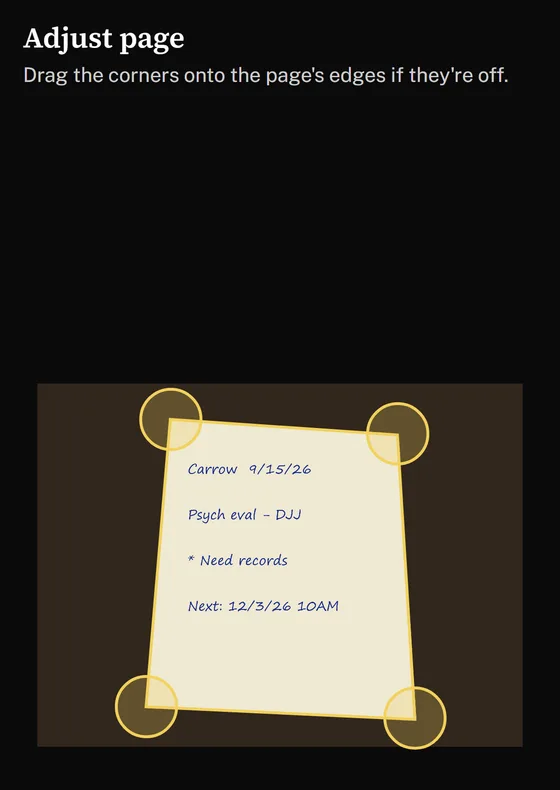
    Adjust page on a phone: a photo of a handwritten note, with a corner handle on each of the page's corners.
  2. 11:42 AM

    It reads the note for you.

    It picks out the next court date, your tasks and deadlines, the time spent, updates from others, and what the client still needs to provide.

    It finds the matter by the case number on the note, then by what was on your calendar. When it isn't sure, it asks you.
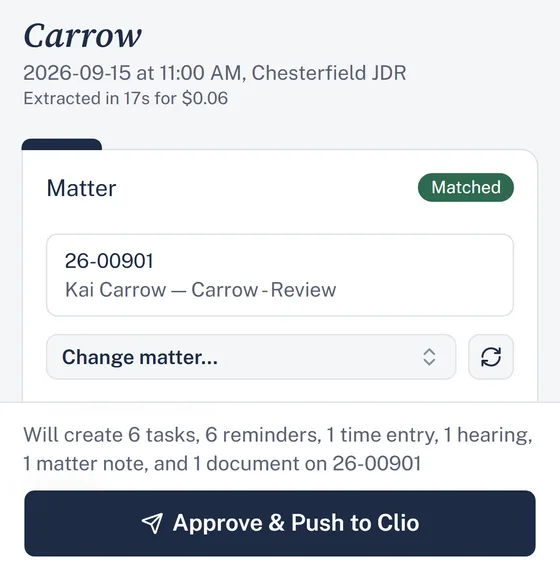
    The draft on a phone: the case name, the matched matter, and what will be created in Clio.
  3. 11:45 AM

    Change anything before it's sent.

    The note and the draft sit side by side. Change any field. Nothing goes to Clio until you approve it.

  4. 11:46 AM

    One click to Clio.

    Approve & Push to Clio creates the tasks with reminders, the time entry, the next hearing on your calendar, a matter note, and the original note as a PDF in the matter's documents.

    Each finished note is stamped, so you can see at a glance what's done.

    Filed in Clio9/15/2026 11:46 AM

Time to do the work.

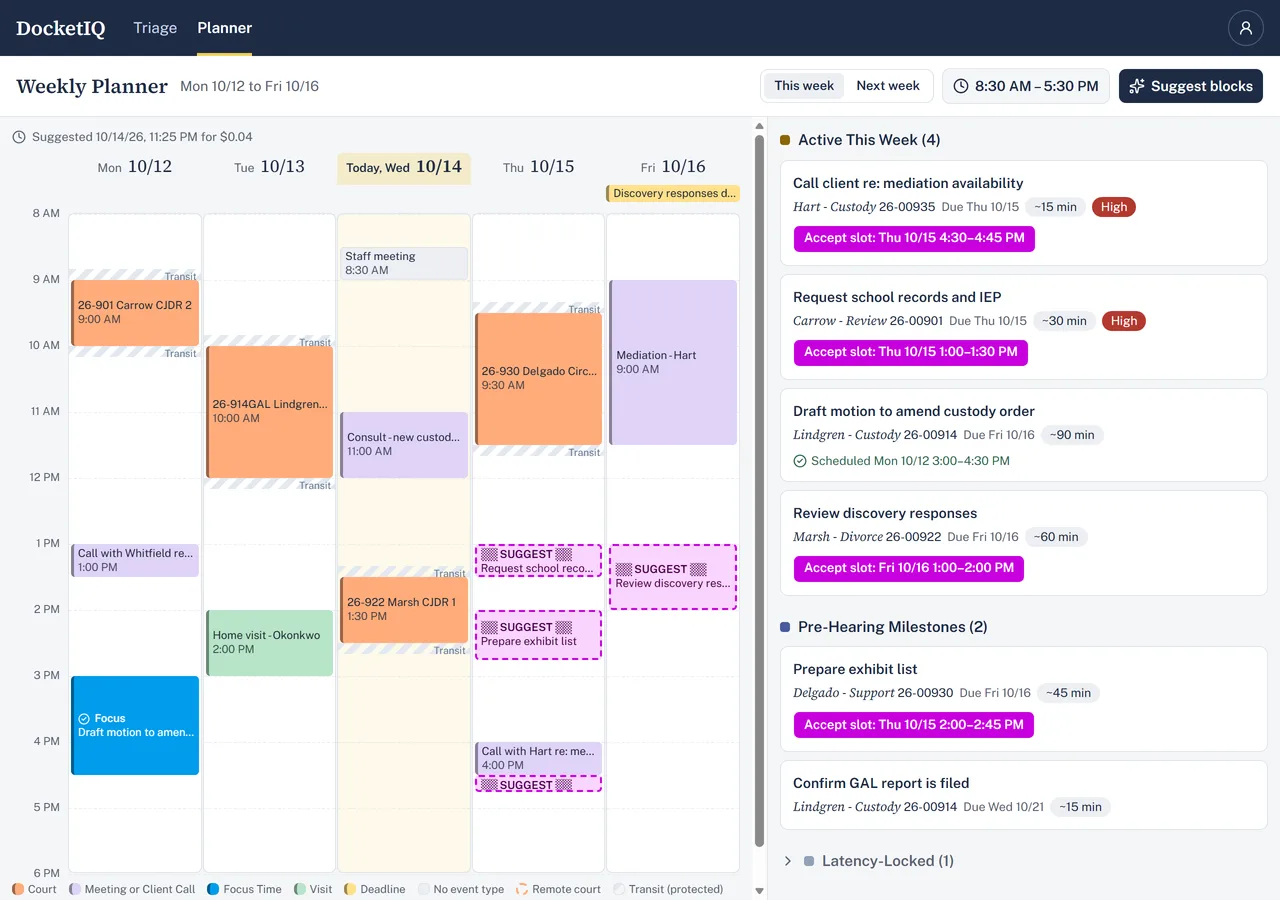
Your Clio calendar and every open task assigned to you, in one view.

DocketIQ suggests focus blocks for your tasks in your free time, within your working hours, with travel time around court. Accept one and it's added to your Clio calendar.

The weekly planner: court dates and meetings on a Monday-to-Friday calendar, an accepted focus block, suggested slots, and the week's open tasks.

Clio keeps the record.

  • Copies don't linger. Once a note is filed in Clio, DocketIQ deletes its own copy after 7 days (you choose 1 to 90), or right away.
  • Two-step sign-in. A password plus a code from an authenticator app, or a passkey.
  • Nightly backups, encrypted.
  • Your location stays on your phone. Photo location data is removed before upload.